

Aggy is a writer and editor who has worked for many high-traffic digital publications. He's a technology and gaming fanboy who has been a writer, editor, consultant, and computer animator.
Most developers start out expecting one AI tool to handle everything, and that works until you're doing a bigger project. Once you start treating each AI like it is only meant to do one thing, the whole process gets a lot smoother. I don't like Claude, but I have to admit my projects have gotten much better since I started pairing Claude with AIs like Antigravity.

Assigning specific roles to coding assistants
Use your AI models like a team

A lot of developers expect a single AI tool to handle everything, and that's usually where the frustration starts. Instead, you should treat different AI models as specialized members of a team. Each one has a specific role based on what it actually does well. I've learned that no single model excels at every task; this way of working creates a setup that actually works and doesn't break as easily. That's why it works well to have an AI like Claude work with ChatGPT.
One AI might have issues with cross-service dependencies when it isn't guided, while the other may not have the execution speed you need for fast prototyping. When you assign specific roles, like using one tool as a project manager and another as the lead developer, you can cover each other's weak spots and get the most out of your AI.
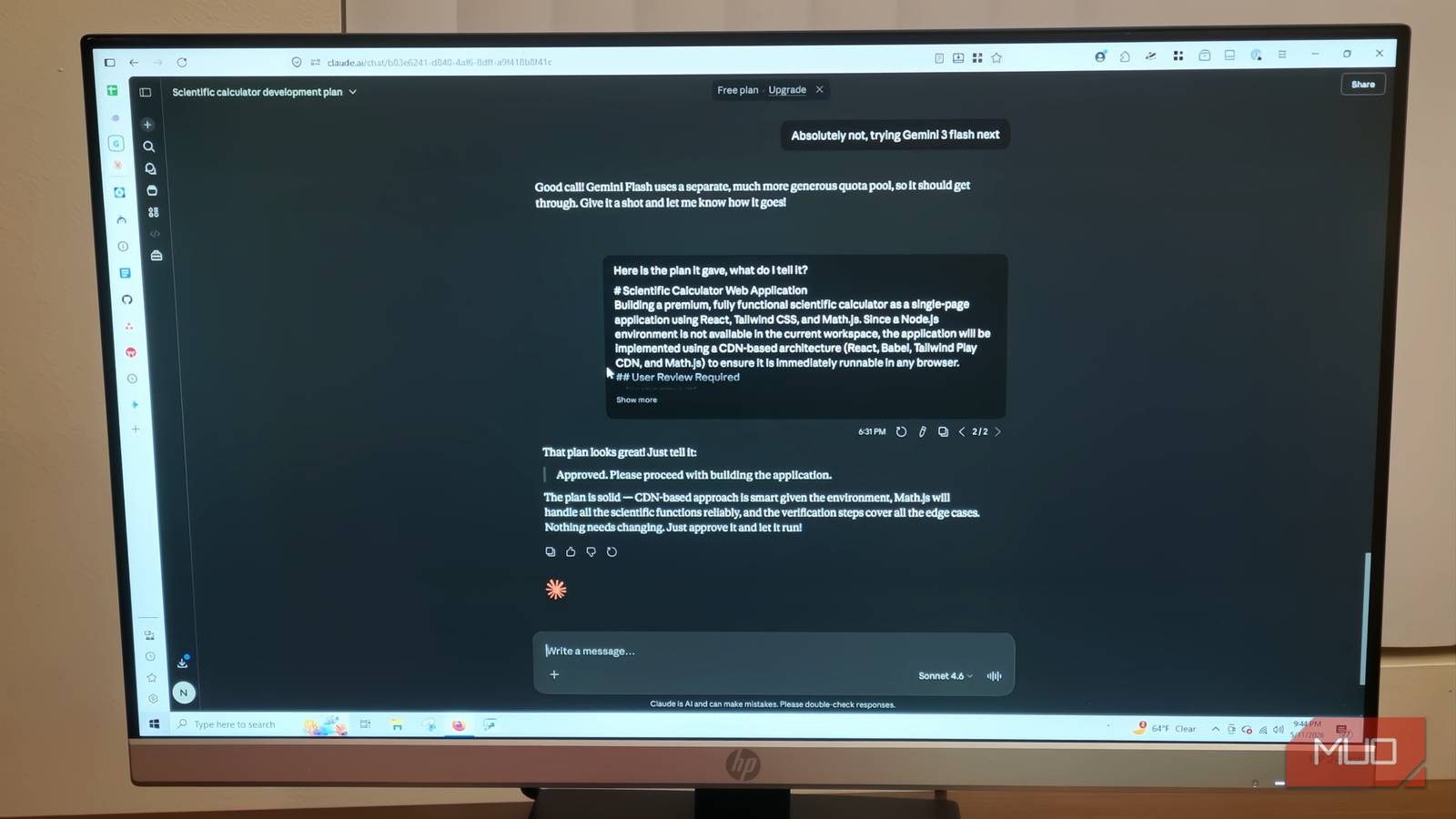
Claude is great at being a project manager and lead architect. It seems to know how to handle complex, multistep reasoning. This makes it amazing for high-level logic and planning. When starting a project, you can tell Claude to find context and look through existing dependencies before touching any code. Claude will break that down into self-contained steps and make plans with context briefs, task lists, and review checkpoints.
It writes the step-by-step instructions that keep everything stable before anything gets changed. That kind of thing may not be as flashy as what can be done with other models, but it is incredibly useful for what I need it to do.
Antigravity is not good at making plans, and neither is Gemini as a whole. In fact, when you rely on a single model, you're doing more harm than good. While you can make small apps with Antigravity without experience, you'll have problems with big ideas. Claude is a great starting point, but it fails in execution. I've noticed that in a workflow, you're better off using another AI you trust; in my case, this is Google's Antigravity.
Antigravity is good at running its own models
This AI just isn't all that good at planning

Antigravity's biggest strength is how much of your codebase it can see at once. Instead of working with small pieces of information like other AI assistants, Antigravity uses the one-million-token context window of its Gemini 3.1 Pro model to look at the whole repository.
This lets it follow logic across a large, multi-layered build and keep everything consistent even during large-scale refactors. Since it sees every file, folder, and dependency at the same time, it's really good at keeping file structures organized without producing the disconnected or orphaned code snippets that trip up a lot of other AI tools.
I am only human, so I make plenty of mistakes while making apps. Antigravity is my favorite one to use while trying to fix mistakes I've made.
That said, Antigravity works best when it has a clear plan to follow. I've tried to use my own words, but I cannot beat Claude when it comes to making an efficient plan.
Claude handles the planning side in what I'd call a "think first, touch nothing" mode. It is my favorite feature of any AI. It analyzes the codebase and generates step-by-step blueprints before anything gets changed. I hate it when AIs go off on their own because it derails everything. Having a large objective broken down into manageable steps is perfect for Antigravity.
Run the models like a team
Let each model do what it does best
The actual process is simpler than it sounds. Once Claude has finished mapping out the project, it produces a set of markdown files that break the objective down into self-contained steps. Each file comes with a context brief, a task list, and verification commands that tell the agent exactly what done looks like.
I was surprised by how thorough these files were the first time I generated them. I did not expect that level of detail from an AI I wouldn't trust with code. Once the files are ready, you drop them into Antigravity's workflow directories. The Agent Manager reads the plans Claude made and gives each step to a separate agent.
Since Antigravity can make up to five agents concurrently, it handles frontend, backend, and database tasks all at the same time across separate workspaces. The parallel streams don't interfere with each other because each agent is working from its own self-contained instruction file.
Something I like to do that I highly recommend is to always ask for confirmation from Antigravity before starting the whole process. I ask for a detailed overview of what it will do, and then I must approve that. Sometimes, Antigravity goes its own way, and this fixes it. Give that same document back to Claude and have it reviewed.
Claude tells you what comments to make or what to fix, and the next one should be perfect. You should keep this as a back-and-forth throughout the process. Antigravity will take screenshots and let you know that everything actually works.
The whole handoff takes minutes to set up and saves hours later on, especially if you keep it up. Claude thinks, Antigravity builds, and you are more like the director.
Be the director, not the one arguing
The setup itself doesn't take long once you understand what each tool is supposed to do. Claude maps out the project and breaks it into steps that Antigravity can actually follow. You stay in the director's seat the whole time by approving plans before anything gets built. It takes a little getting used to, but once you run through it a couple of times, you'll notice how much less you're fighting the tools and how much more they're just doing the work.

Claude
- Developer
- Anthropic PBC
- Price model
- Free, subscription available
Claude is an advanced artificial intelligence assistant developed by Anthropic. Built on Constitutional AI principles, it excels at complex reasoning, sophisticated writing, and professional-grade coding assistance.